Learn Salesforce Lightning - Part 1
INTRODUCTION TO LIGHTNING FRAMEWORK
The
Lightning Component framework is a UI framework for developing dynamic web
apps for mobile and desktop devices. It’s a modern framework for building
single-page applications engineered for growth.
The framework supports partitioned multi-tier component development that bridges the client and server. It uses JavaScript on the client side and Apex on the server side. Below are the benefits of using Lightning Framework,
- Out-of-the-Box Component Set
- Rich component ecosystem
- Performance
- Event-driven architecture
- Faster development
- Device-aware and cross browser
compatibility
Lightning App builder
The Lightning App Builder is a point-and-click
tool that makes it easy to create custom pages for the Salesforce mobile app
and Lightning Experience, giving your users what they need all in one place.
- Single-page
apps that drill down into standard pages
- Dashboard-style
apps, such as apps to track top sales prospects or key leads for the
quarter
- “Point”
apps to solve specific tasks, such as an expense app for users to enter
expenses and monitor expenses they’ve submitted
- Custom
record pages for your objects, tailored to the needs of users
- Custom
Home pages containing the components and features that users use most
Lightning Pages
A
Lightning page is a custom layout that can be used to design pages
for use in the Salesforce mobile app or Lightning Experience. A Lightning page
is composed of regions that contain components.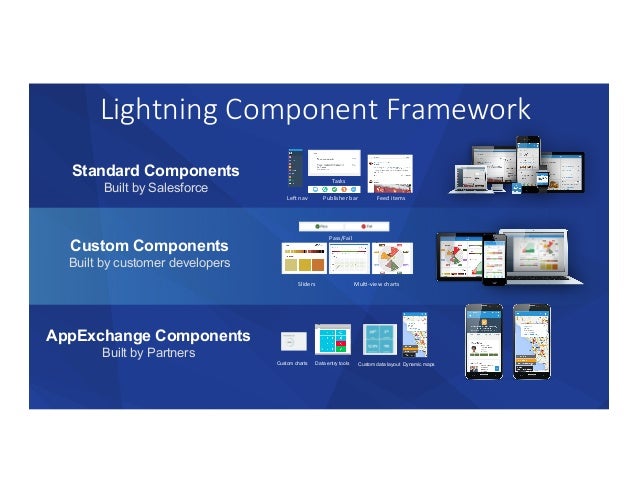
A
Lightning component is a compact, configurable, and reusable element that you
can drag and drop onto a Lightning page in the Lightning App Builder.
Lightning
pages support these components:
Standard
Components
Standard
components are Lightning components built by Salesforce.

Custom
Components
Custom
components are Lightning components that you or someone else have created. With
some modifications, custom Lightning components can work in the Lightning App
Builder. For more information on making Lightning components App
Builder–friendly.

Third-Party
Components on AppExchange
The
AppExchange provides a marketplace for Lightning components. You can find
packages containing components already configured and ready to use in the
Lightning App Builder.

Creating Lightning
pages using Lightning app builder
App
Page
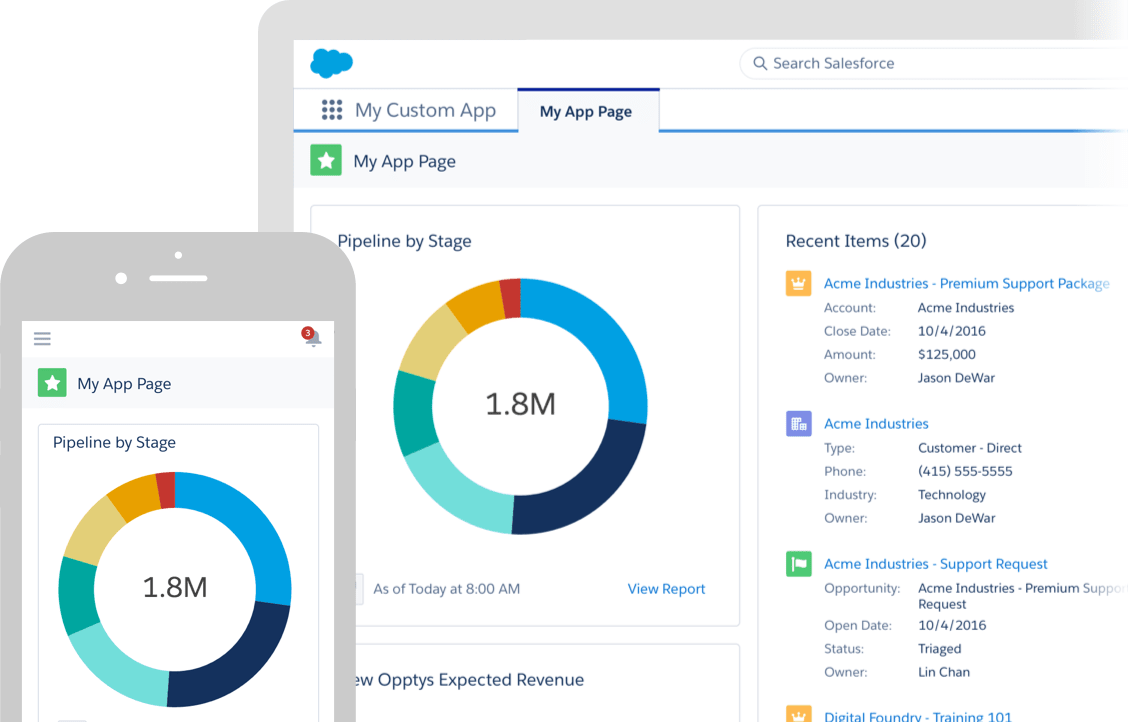
Use
an app page to create a home page for a third-party app that you can add
directly into the Salesforce mobile app and Lightning Experience navigation
menus. Your users then have an app home page where they can quickly access the
most important objects and items.
Home
Page
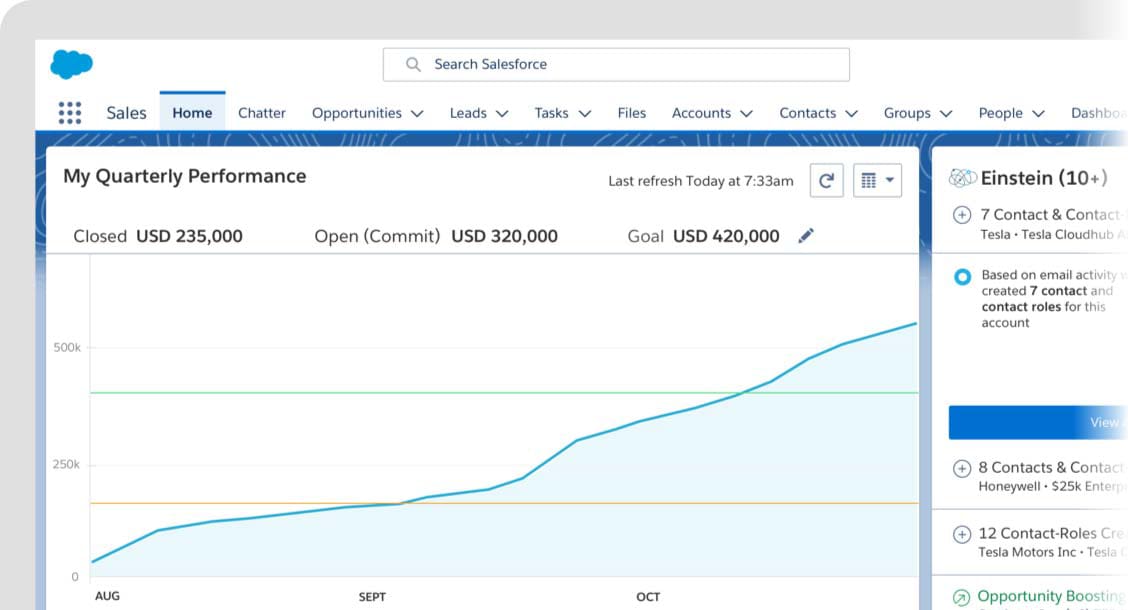
Create
Home pages with features relevant to specific types of users, and assign the
customized pages to different user profiles. Custom Home pages are supported in
Lightning Experience only.
Record
Page
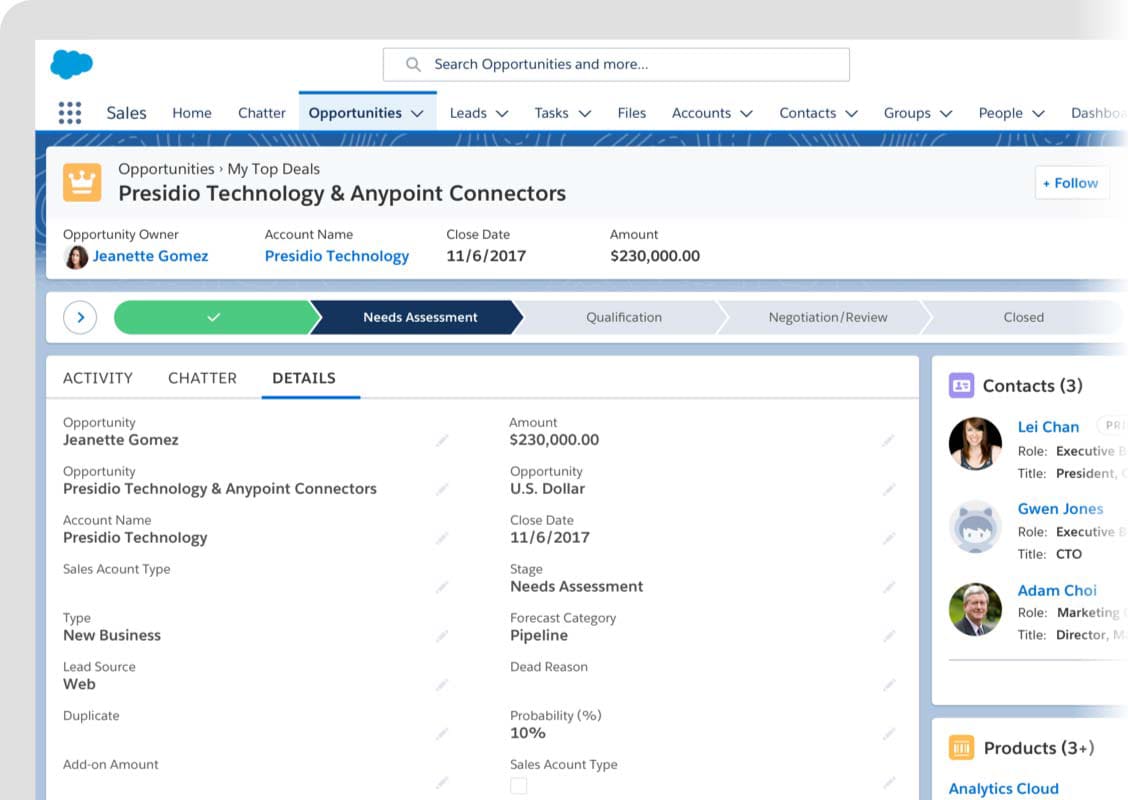
With
a record page, you can create a customized version of an object’s record page,
tailoring it to your users’ needs. Custom record pages are supported in
Lightning Experience only.
Comments
Post a Comment